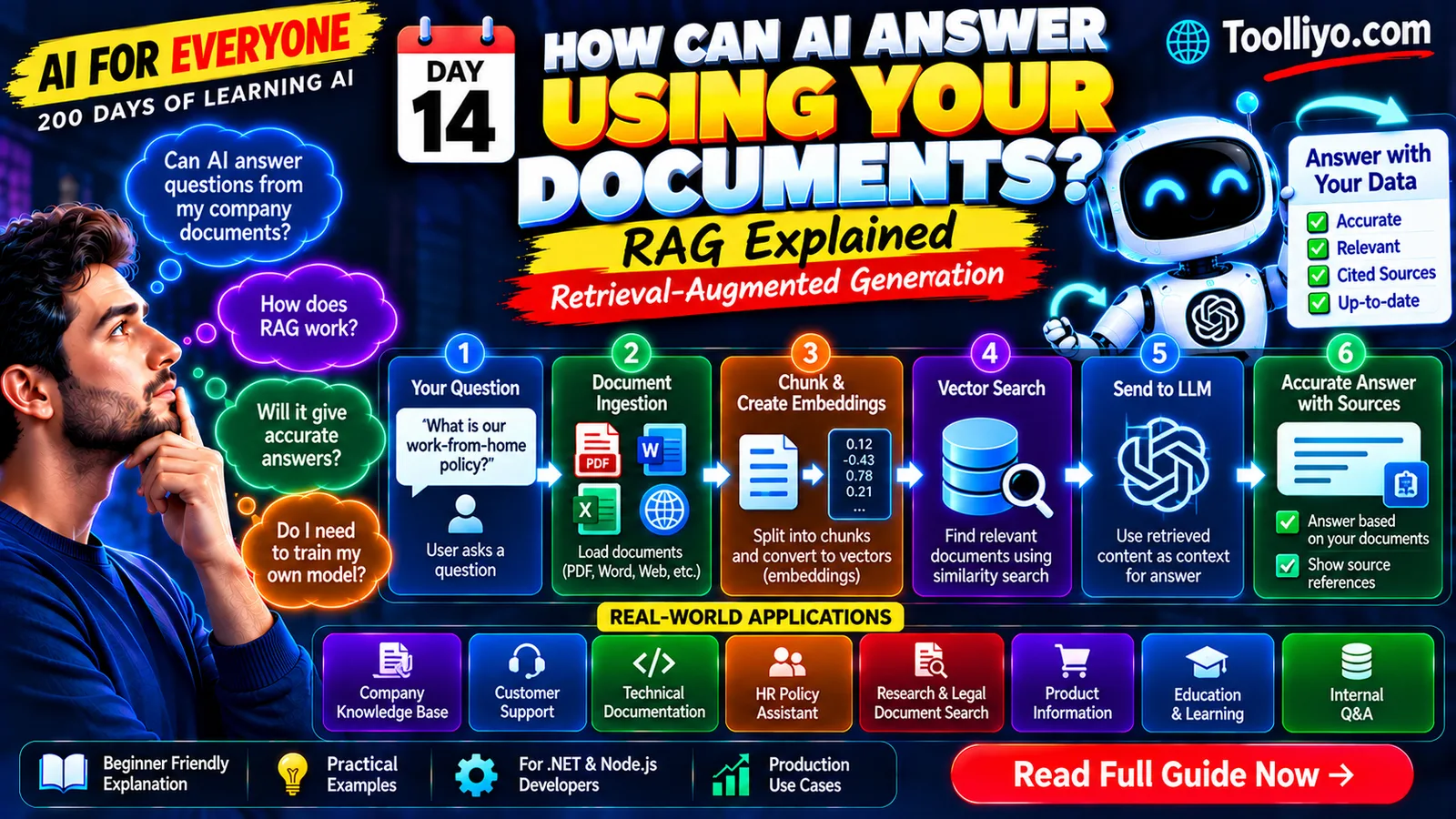
What Is RAG (Retrieval-Augmented Generation)? How AI Answers Using Your Own Data
Introduction: What If AI Could Answer Questions About Your Documents?
Imagine your company has hundreds of documents containing HR policies, technical manuals, product documentation, and internal procedures.
An employee asks an AI assistant:
"What is our work-from-home policy?"
A general-purpose language model might explain common remote-work practices. But it may not know your company's actual policy, especially if the information is private or has recently changed.
How can you build an AI application that retrieves the relevant policy and uses it to answer the question?
One widely used approach is Retrieval-Augmented Generation (RAG).
RAG combines information retrieval with a generative AI model. The application finds relevant information from a knowledge source and supplies it to the model as context for generating a response.
Instead of relying only on the model's learned knowledge, the application can use your own documents as a source of evidence.
In this guide, you'll learn what RAG is, how its architecture works, why embeddings and vector search matter, and how developers can build practical RAG applications.
1. What Is Retrieval-Augmented Generation (RAG)?
Retrieval-Augmented Generation is an architecture that combines two capabilities:
-
Retrieval: Find relevant information from a collection of documents or another knowledge source.
-
Generation: Use a generative model to produce a response based on the user's question and the retrieved information.
Let's break down the name.
Retrieval means searching a knowledge source for relevant content.
Augmented means providing additional information to the model as context.
Generation means producing a response using a generative model.
For example, suppose a company stores its leave policy in an internal document.
An employee asks:
"How many annual leave days do employees receive?"
A RAG application can retrieve the relevant policy section, provide that section to an LLM, and ask it to answer the question using the supplied evidence.
The result can be more relevant to the company's actual policy than an answer generated without access to that document.
However, RAG does not guarantee correctness. The retrieved content might be incomplete or outdated, and the model may still misinterpret it.
2. Why Do We Need RAG?
Large Language Models are useful for generating text, explaining concepts, summarizing information, and answering many questions.
But an application may need to answer questions about information that is not available in the model's training data.
Consider these situations:
-
A company updates its employee handbook.
-
A software team maintains private API documentation.
-
A business stores product information in internal files.
-
A customer support team has thousands of troubleshooting articles.
-
A research team needs to search a collection of reports.
Training a new foundation model whenever a document changes would generally be impractical.
RAG offers another approach: keep the information in a searchable knowledge source and retrieve relevant passages when users ask questions.
RAG can help with
-
Accessing private or specialized information.
-
Incorporating recently updated documents after the search index is refreshed.
-
Providing source references for answers.
-
Reducing reliance on unsupported model-generated claims.
-
Updating a knowledge base without retraining the entire LLM.
The benefit depends on the retrieval pipeline, source quality, and application design. RAG is not a substitute for model evaluation, data governance, or access control.
3. How Does RAG Work?
Let's build a mental model using an AI assistant for company policies.
A complete RAG workflow has two main phases: document ingestion and question answering.
Phase A: Prepare the knowledge base
Step 1: Collect documents
Gather supported source material such as PDFs, Word documents, HTML pages, or database records.
Step 2: Extract text
Convert the source content into usable text while preserving important structure and metadata.
Step 3: Split text into chunks
Divide long documents into smaller, meaningful sections.
Step 4: Generate embeddings
Use an embedding model to convert each chunk into a numerical vector.
Step 5: Store and index
Store the vectors, original text or references, and metadata in a suitable search system.
Phase B: Answer a question
Step 6: Receive the question
A user asks something such as:
"What is the process for requesting annual leave?"
Step 7: Retrieve relevant content
The application searches the knowledge base for passages that are likely to answer the question.
Step 8: Construct the prompt
The application combines the user's question with relevant retrieved passages and instructions.
Step 9: Generate the answer
The LLM uses the supplied context to generate a response.
Step 10: Return the result
The application returns the answer and, where available, source references that help the user verify the information.
The workflow can be summarized as:
Documents → Text extraction → Chunking → Embeddings → Search index
Then, at question time:
User question → Retrieval → Relevant context → LLM → Answer
Not every RAG implementation uses vector search. Some use keyword search, some use hybrid search, and others use additional retrieval strategies.
4. What Is the Role of Embeddings in RAG?
Embeddings are numerical representations of data produced by a model.
For text-based RAG, an embedding model converts a document chunk into a vector that can be compared with other vectors.
Suppose your knowledge base contains:
-
"Employees may request annual leave through the HR portal."
-
"The office cafeteria closes at 6 PM."
-
"Password resets are available through the identity management system."
A user asks:
"How can I apply for a vacation?"
The wording differs from the policy, but an embedding-based retrieval system may recognize that the first document is relevant.
The application compares the question's embedding with stored document embeddings and retrieves likely matches.
Embeddings help identify semantically related content, but similarity is not proof that a passage answers the question. Retrieval results should be evaluated against real questions and documents.
