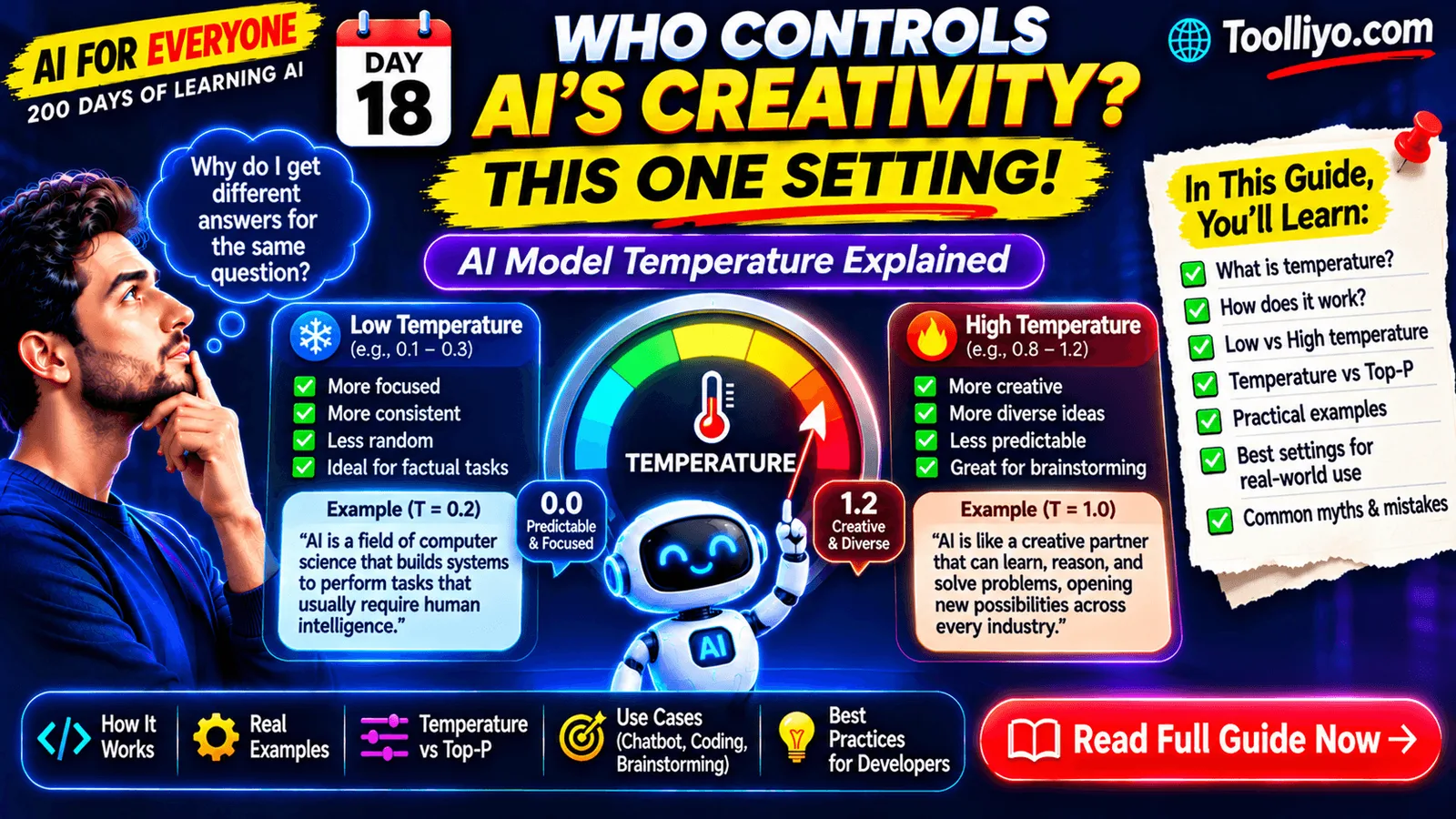
AI for Everyone — 200 Days of Learning AI | Day 18
Have you ever noticed that an AI assistant can answer the same question in different ways?
Sometimes it gives you a short, predictable answer. Other times, it produces a completely different explanation, a creative idea, or an unexpected suggestion.
Why does this happen?
One factor that can influence the behavior of a Large Language Model (LLM) is a parameter called Temperature.
Temperature is a model-generation parameter used by many AI systems. It influences how the model selects the next token when generating a response.
Understanding temperature is important if you use AI tools regularly or build AI-powered applications.
In this guide, we'll understand temperature from the beginning, explore examples, compare low and high values, and learn how developers can configure it in real applications.
1. What Is AI Model Temperature?
Temperature is a parameter used during text generation that controls how sharply or broadly a language model samples from its next-token probability distribution.
In simple words:
Temperature influences how predictable or varied an AI model's generated responses can be.
A lower temperature generally makes the model favor tokens with higher probabilities.
A higher temperature generally makes the model more willing to select less probable alternatives.
This can change the wording, structure, and variety of generated responses.
For example, consider asking an AI model:
"Suggest a name for an AI-powered productivity application."
With a lower temperature, the model may generate more conventional suggestions.
With a higher temperature, it may produce a wider range of unusual or imaginative suggestions.
The exact behavior depends on the model, its training, the prompt, and other generation settings.
2. How Does Temperature Work?
To understand temperature, we first need to understand token probabilities.
When an LLM generates a response, it predicts possible next tokens and assigns probability scores to them.
Imagine the model is completing this sentence:
"The capital of France is..."
It might assign high probability to:
-
Paris
-
Lyon
-
Marseille
-
Other possible tokens
The model generally assigns much higher probability to "Paris" in this context.
Temperature influences how these probabilities are transformed before sampling the next token.
A simplified explanation
A common mathematical representation is:
[
P_i = \frac{\exp(z_i/T)}{\sum_j \exp(z_j/T)}
]
Where:
-
(P_i) = probability of selecting token (i).
-
(z_i) = model score, also called a logit, for token (i).
-
(T) = temperature.
-
(\exp) = exponential function.
This is a temperature-scaled softmax distribution.
Let's understand the effect:
When temperature is lower:
The probability distribution becomes sharper. Higher-scoring tokens become more dominant.
When temperature is higher:
The probability distribution becomes flatter. Lower-scoring alternatives become relatively more likely.
The model then samples a token according to the resulting distribution, subject to other decoding rules.
This is why temperature can influence response diversity.
Note that this equation is a simplified explanation of common sampling behavior. Actual model implementations may include additional decoding steps and constraints.
3. What Happens at Low Temperature?
A low temperature generally makes responses more predictable.
For example, consider a temperature setting of 0.1.
Prompt:
"Explain what dependency injection is."
The model may produce a direct, conventional explanation:
"Dependency Injection is a design pattern in which an object receives its dependencies from an external source rather than creating them itself."
This is useful when you want focused and consistent responses.
Common use cases
-
Customer support.
-
Technical explanations.
-
Structured information extraction.
-
Classification.
-
FAQ assistants.
-
Consistent response formatting.
However, low temperature does not guarantee correctness.
An AI model can still generate incorrect information at a low temperature.
4. What Happens at High Temperature?
A higher temperature generally allows more variation in generated responses.
For example, consider a temperature setting of 1.2.
Prompt:
"Suggest creative ideas for an AI-powered application."
The model may generate more unusual combinations, alternative approaches, and less conventional suggestions.
Common use cases
-
Brainstorming.
-
Creative writing.
-
Marketing ideas.
-
Story generation.
-
Naming applications.
-
Exploring alternative product concepts.
However, higher temperature can also increase unpredictability.
The output may become less focused or contain more unusual and potentially incorrect statements.
High temperature does not automatically improve creativity or quality.
5. Low Temperature vs. High Temperature
Let's compare the behavior.
| Factor | Lower temperature | Higher temperature |
|---|---|---|
| Token selection | More concentrated | More distributed |
| Predictability | Generally higher | Generally lower |
| Response variety | Often lower | Often higher |
| Creative variation | Often more limited | Often greater |
| Consistency | Often easier to maintain | Can be less consistent |
| Suitable tasks | Structured answers | Brainstorming |
These are general tendencies, not guarantees.
The actual output depends on the model, prompt, sampling configuration, and task.
6. Practical Example: Same Prompt, Different Temperature
Let's use a simple example.
Prompt:
"Suggest five names for an AI-powered developer productivity application."
Lower temperature
Possible output:
-
DevAssist
-
CodeHelper
-
DeveloperHub
-
CodeFlow
-
DevTools AI
These are conventional and straightforward names.
Higher temperature
Possible output:
-
CodeOrbit
-
NeuralForge
-
BytePilot
-
QuantumCraft
-
SyntaxNova
These are more varied and imaginative suggestions.
The names are illustrative examples, not guaranteed outputs from a particular model.
Important observation: Both responses can be useful. The right choice depends on the task.
7. Is Temperature the Same as Creativity?
No.
This is one of the most common misunderstandings.
Temperature influences token sampling. It does not directly measure intelligence, creativity, originality, or factual accuracy.
A high temperature does not make the model smarter.
A low temperature does not make the model more knowledgeable.
For example:
If you ask an AI model to explain a database transaction, changing the temperature will not give it new database knowledge.
It may change how the explanation is worded or structured.
Similarly, increasing temperature does not automatically improve the quality of a business idea.
Remember: Temperature influences generation behavior, not the amount of knowledge inside the model.
8. What Is the Difference Between Temperature and Top-P?
Temperature is not the only parameter that can influence token sampling.
Another important parameter is Top-P, also called nucleus sampling.
Let's understand the difference.
Temperature
Temperature adjusts the shape of the probability distribution.
-
Lower temperature makes high-probability tokens more dominant.
-
Higher temperature makes alternative tokens relatively more likely.
Top-P
Top-P limits token sampling to a set of likely candidates whose cumulative probability reaches a specified threshold.
For example, if Top-P is set to 0.9, the sampling process considers a nucleus of tokens accounting for approximately 90% of the probability mass, according to the distribution used by the sampler.
Temperature vs. Top-P
| Feature | Temperature | Top-P |
|---|---|---|
| Purpose | Adjusts probability distribution | Limits candidate token set |
| Controls | Distribution sharpness | Cumulative probability threshold |
| Lower setting | More concentrated selection | Smaller candidate set |
| Higher setting | More varied sampling | Larger candidate set |
Both can affect response diversity.
Some APIs allow you to configure both, while others recommend adjusting one at a time.
Always check the specific model provider's documentation.
9. How to Choose the Right Temperature
There is no universal temperature setting for every task.
Start with the task requirements, then experiment with supported settings and evaluate the outputs.
Here are illustrative starting points:
| Application | Possible starting range |
|---|---|
| Structured extraction | 0.0–0.2 |
| Customer support | 0.1–0.3 |
| Technical explanations | 0.2–0.5 |
| General assistant | 0.4–0.7 |
| Brainstorming | 0.7–1.0 |
| Creative writing | 0.8–1.2 |
These are experimental ranges, not universal recommendations or guaranteed optimal values. Some models use different scales, restrict temperature settings, or do not expose the parameter at all.
Example 1: Customer support chatbot
A customer asks:
"What is your refund policy?"
The application should prioritize:
-
Correct policy information.
-
Consistent answers.
-
Relevant citations.
-
No invented refund conditions.
A lower temperature may be a reasonable starting point, but grounding, authorization, and output validation are much more important for factual reliability.
Example 2: AI coding assistant
A developer asks:
"Generate a Product CRUD API using ASP.NET Core."
The application should prioritize:
-
Correct APIs.
-
Valid code.
-
Consistent architecture.
-
Clear explanations.
A relatively low or moderate temperature may be useful for predictable code generation.
But code must still be compiled, tested, and reviewed.
Example 3: AI brainstorming assistant
A founder asks:
"Suggest 20 unique SaaS ideas using AI for small businesses."
A higher temperature may encourage a broader range of suggestions.
The results still need market research and validation.
10. How Developers Use Temperature in AI Applications
Now let's connect the concept to real application development.
Imagine you're building an AI-powered application using ASP.NET Core 10 or Node.js.
Your application sends a request to an LLM API.
The request may contain:
-
Model identifier.
-
System instructions.
-
User prompt.
-
Temperature.
-
Maximum output token limit.
-
Other model-specific generation parameters.
A simplified request might look like this:
{
  "model": "your-supported-model",
  "messages": [
    {
      "role": "user",
      "content": "Explain dependency injection."
    }
  ],
  "temperature": 0.3
}
This is an illustrative request structure. The exact API schema and supported parameters depend on the provider and model.
Example: Node.js
A simplified JavaScript example:
const response = await fetch(
  "YOUR_LLM_API_ENDPOINT",
  {
    method: "POST",
    headers: {
      "Content-Type": "application/json",
      "Authorization": `Bearer ${process.env.AI_API_KEY}`
    },
    body: JSON.stringify({
      model: "your-supported-model",
      messages: [
        {
          role: "user",
          content: "Explain dependency injection."
        }
      ],
      temperature: 0.3
    })
  }
);

if (!response.ok) {
  throw new Error("AI API request failed");
}

const result = await response.json();

console.log(result);
This example uses a generic chat-completion-style request. Replace the endpoint, model, and request structure with the provider's actual API contract.
Example: ASP.NET Core
You can also model the configuration in C#:
public class AiGenerationOptions
{
    public string Model { get; set; } = string.Empty;

    public double Temperature { get; set; } = 0.3;

    public int MaxOutputTokens { get; set; } = 1000;
}
You can register these options through configuration:
builder.Services.Configure<AiGenerationOptions>(
    builder.Configuration.GetSection("AI"));
Example configuration:
{
  "AI": {
    "Model": "your-supported-model",
    "Temperature": 0.3,
    "MaxOutputTokens": 1000
  }
}
The actual provider integration should validate supported temperature values and map your application configuration to the provider's request format.
Never store API keys directly in source code or public configuration files. Use a secure secrets-management solution.
11. Important Things Developers Should Remember
When implementing temperature in production applications, consider these points:
1. Not every model supports temperature.
Some models expose the parameter, some restrict its range, and some do not allow it to be configured.
2. Temperature zero does not always mean perfectly deterministic output.
Other sampling settings, infrastructure behavior, model versions, and provider implementation can still affect results.
3. Higher temperature does not mean better creativity.
Evaluate the output rather than assuming a higher setting is better.
4. Lower temperature does not eliminate hallucinations.
Factual accuracy requires grounding, validation, and evaluation.
5. Avoid changing every parameter at once.
Experiment with one parameter at a time so you can understand its effect.
6. Test multiple inputs.
A setting that works well for one prompt may perform poorly on another.
7. Evaluate the real business outcome.
For a support chatbot, measure factual accuracy and policy compliance. For a brainstorming tool, measure usefulness and diversity.
12. Practical Challenge: Experiment With Temperature
Try this exercise using an AI platform that exposes a temperature parameter.
Use the same prompt:
"Suggest 10 innovative AI-powered SaaS product ideas for small businesses."
Test these values, if supported:
-
0.1
-
0.5
-
0.9
-
1.2
Record the results.
| Temperature | What to observe |
|---|---|
| 0.1 | Are ideas more conventional and similar? |
| 0.5 | Is there a balance of familiar and varied ideas? |
| 0.9 | Are the suggestions more diverse? |
| 1.2 | Are outputs more unpredictable or less focused? |
Compare:
-
Variety of ideas.
-
Repetition.
-
Relevance.
-
Practical usefulness.
-
Factual reliability.
Your goal is not to find the highest temperature. Your goal is to understand how the parameter affects the output for your particular model and task.
13. Frequently Asked Questions
Q1. What is temperature in AI?
Temperature is a parameter used by many language models to influence token sampling during text generation.
Q2. Does higher temperature make AI more creative?
It can encourage more varied and less predictable outputs, which may help with creative tasks. It does not guarantee originality or quality.
Q3. What happens when temperature is low?
The model generally favors higher-probability tokens more strongly, often resulting in more predictable responses.
Q4. What is the best temperature for ChatGPT?
There is no universal best value. It depends on the model, task, API, and generation settings. Some ChatGPT interfaces do not expose a temperature control.
Q5. Does temperature affect AI hallucinations?
It can influence the kinds of tokens selected, but it does not directly guarantee factual accuracy. Grounding and verification are essential.
Q6. What is the difference between temperature and Top-P?
Temperature adjusts the probability distribution, while Top-P limits sampling to a nucleus of likely tokens based on cumulative probability.
Q7. Should developers use high temperature for coding assistants?
Not as a general rule. Start with a configuration that produces useful and consistent code, then evaluate it with compilation, tests, and code review.
Conclusion: Control How AI Generates, Not What It Knows
AI Model Temperature is a small parameter with an important role in language model generation.
It can influence whether a model produces more predictable or more varied responses.
Remember:
-
Lower temperature generally favors predictable output.
-
Higher temperature generally allows more variation.
-
Temperature does not increase model knowledge.
-
Temperature does not guarantee creativity.
-
Temperature does not eliminate hallucinations.
-
The right setting depends on the task and model.
If you are building AI-powered applications, don't blindly choose a temperature. Experiment, evaluate, and select the configuration that delivers the best results.
Continue Learning — AI for Everyone
This is Day 18 of 200 Days of Learning AI.
Explore practical developer resources at Toolliyo.com.
For personalized developer mentorship, interview preparation, and career guidance, visit Topmate.
Tomorrow — Day 19: What Is Top-P Sampling? How AI Selects Which Words to Generate.
Learn one AI concept every day. Build your understanding step by step.
